
An alcohol-free calendar that keeps the full story
SoberTrail is a sobriety calendar app for iPhone that keeps the dates behind your progress. Look back month by month, add a private note, and see how your alcohol-free days add up, even after a fresh start.
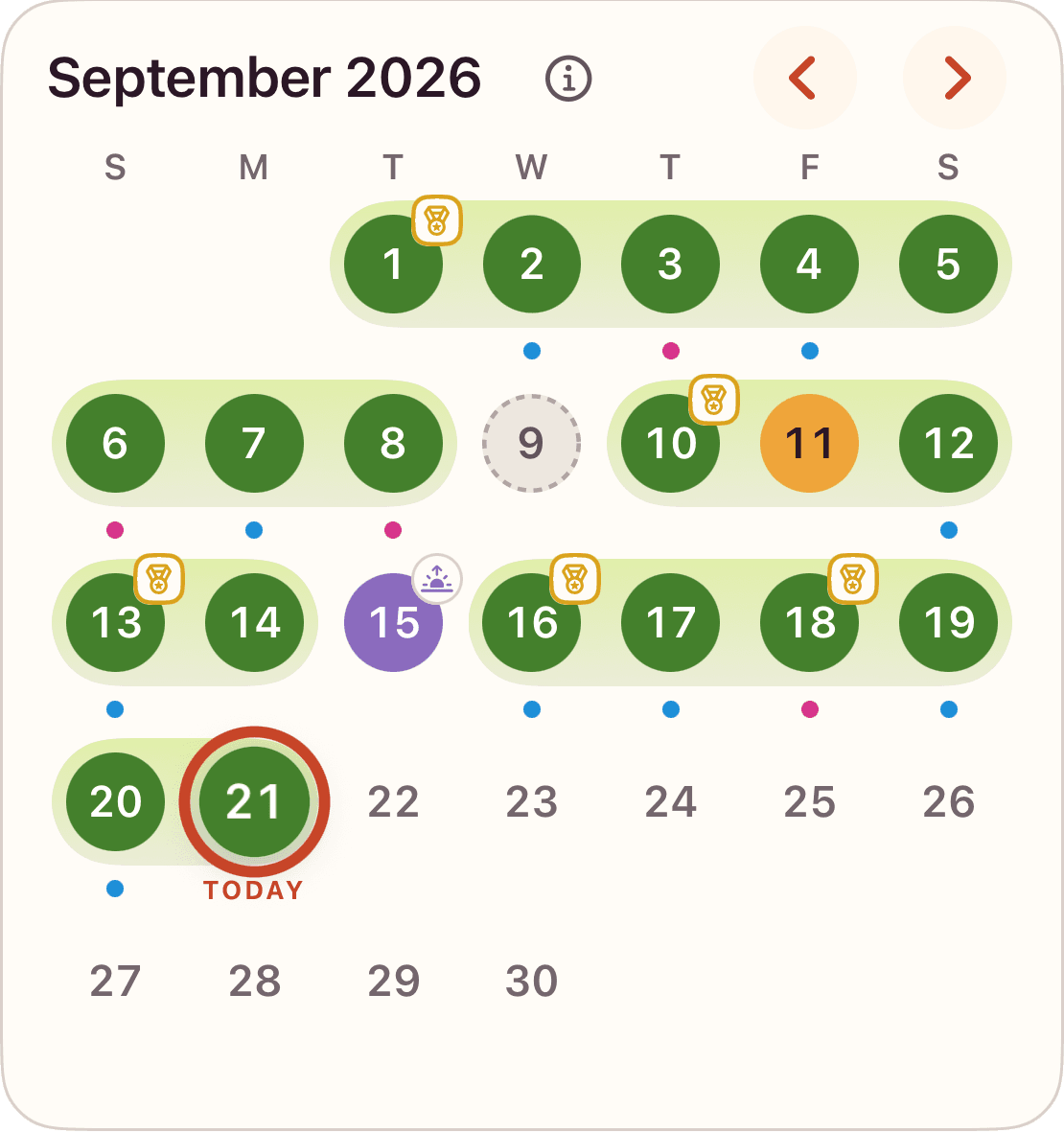
Read a month without filling in the gaps
Imagine a journey that starts on September 1, using Daily confirmation. Looking back through September 10, you confirmed seven alcohol-free days, recorded a drink on September 7 as a relapse, and left two dates unrecorded.
| Dates | Recorded state | Alcohol-free days |
|---|---|---|
| September 1–3 and 5 | Confirmed alcohol-free | 4 |
| September 4 and 6 | Unrecorded | 0 |
| September 7 | Drank, recorded as a relapse | 0 |
| September 8–10 | Confirmed alcohol-free | 3 |
That gives you seven total alcohol-free days and a current trail streak of three. The earlier days still count toward your total; they are simply part of earlier trails. A completed unrecorded day also ends a trail in Daily confirmation, so a blank date is not silently counted as alcohol-free.
Confirmed and assumed days mean different things
If this example had used Automatic from the start, September 4 and 6 would be assumed alcohol-free. With seven confirmed days and two assumed days, the total would be nine. The recorded relapse on September 7 would still end that trail, and September 8–10 would still give you a current trail streak of three.
Confirmed means you recorded the day. Assumed means it counted under Automatic without an explicit entry. Future dates and dates before your journey never count. Changing your counting style takes effect today; it does not change the meaning of earlier dates. Read the counting styles guide for the full explanation.
Correct a date when you remember more
Suppose you remember that September 6 was alcohol-free. In the Daily confirmation example, recording it brings your total from seven to eight. Your current trail stays at three because September 7 still separates it from those earlier dates.
Select a date to review or change its entry. Some corrections require the Allow changing check-ins setting. When a change affects progress or removes information, the app explains the consequence before you save. You can re-edit a day, but clearing a note or invalidating a medallion can remove something a later edit will not restore.
A fresh start keeps your earlier days
Recording a relapse starts a new chapter rather than deleting your calendar. A lapse works differently: it adds no alcohol-free day, but can continue an existing trail. The choice describes what happened on that date. It does not describe you.
Your earlier dates, notes, and previous trails remain available. The year review brings the longer picture together, while Calendar lets you return to an individual day. Corrections can recalculate progress and medallion eligibility, so the numbers stay connected to the record.
Try a monthly record before choosing an app
Our free printable sobriety calendar lets you mark alcohol-free, drank, and unrecorded dates for any month. Print a blank worksheet or the month you filled in. It counts only explicitly marked alcohol-free days and does not calculate a trail.
The browser worksheet is temporary and does not transfer to the app. SoberTrail keeps a saved record on your iPhone, with private notes, counting styles, and preserved trails. Tracking works offline and without an account. You can download SoberTrail on the App Store.
Try the free sober day counter for a date-only preview, see more SoberTrail screens, or read common questions.